
3
Free
Maryfi
Turn your laptop into a hotspot

View an ad to download for free
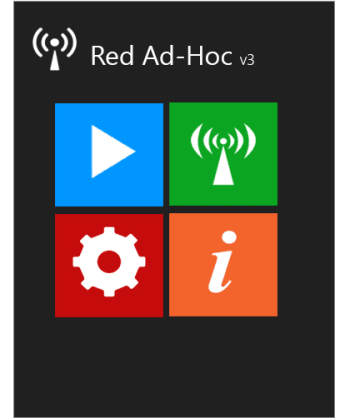
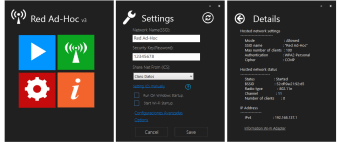
RedAdHoc creates a Network or Virtual Router (RedAdHoc) in Windows 8 and Windows 7.This App turns you into a Virtual Wi-Fi Router with which you can share your Internet connection with other PCs, whether the OS is the same or different from what you use (example:. W8 to W7, W8 to WXP, etc), you can also use the LAN connection to transfer files, play via LAN with other computers, run remote connections. Keep in mind that the creation of this virtual network is necessary for the team holds a Wireless Adapter. Also if you count with any mobile device with Wi-Fi, such as:. Smartphone, Tablet, etc; You can also connect to the Internet through the created Virtual Network. If you want to view the detailed information of your Wi-Fi adapter this program helps you obtain and export it to a file, also if you are a bit advanced and want to set more, you can rename the connection name and choose from a manual IP or automatically and enter the IP address you want to use. You can restore all settings to their initial state with one click. This program is very easy to use, you must enter a name (SSID) and Password (KEY) to the Virtual Network, then choose the modem of what you share online, and if you want to manually configure ICS is giving you the ease of doing so quickly as possible, you can also connect to the network from Windows or you launch the application to run at any time. After starting the network allows you to view all the information in this connection.

Turn Your Computer into a Wireless Hotspot For Free

A free PC hotspot maker for anyone

Efficient Virtual WiFi Router for Windows
Free
Windows
Windows 10
English
16.7K
7.47 MB
View an ad to download for free
Have you tried RedAdHoc? Be the first to leave your opinion!
Add review
A lightweight terminal for secure remote connections

Turn your phone into a computer mic

Download Microsoft Remote Desktop Connection for Windows

Free and powerful network analyzer
Find the optimum configuration settings for your Internet connection
A lightweight terminal for secure remote connections
Turn your phone into a computer mic
Download Microsoft Remote Desktop Connection for Windows

Where networks are built before they exist

Free software to share Internet connections between two or more users
Free
Turn your laptop into a hotspot
Free
Efficient Virtual WiFi Router for Windows
Free
Turn Your Computer into a Wireless Hotspot For Free

Free
Creating a Wi-Fi Hotspot With Windows Made Simple

Free
Free Networking Tool for Windows Users
Turn Your Computer into a Wireless Hotspot For Free
A free PC hotspot maker for anyone
Efficient Virtual WiFi Router for Windows
Free Networking Tool for Windows Users

Turn Your PC into a WiFi
Turn your laptop into a hotspot

Detect and connect to any Bluetooth device

Allows share network connection with other devices through creation Wi-Fi access point.
Turn Your PC into a WiFi

Protect your Wifi connection from external users

Share your desktop with up to 10 other users
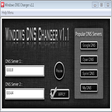
Manually change your DNS
CC Get MAC Address - Find your MAC address with minimal fuss!

Get up to 300 percent faster download and surfing speed with Modem Booster

Hot Spot Maker - Create a free Wi-Fi Hotspot on your desktop PC!

SIP tester is a free VoIP load testing tool to check SIP hardware or software
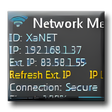
Wireless Network Meter - View network information directly on your desktop

One of the fastest and most powerful TCP port scanners

The social network for discovering your city

Make quick visual traceroutes